

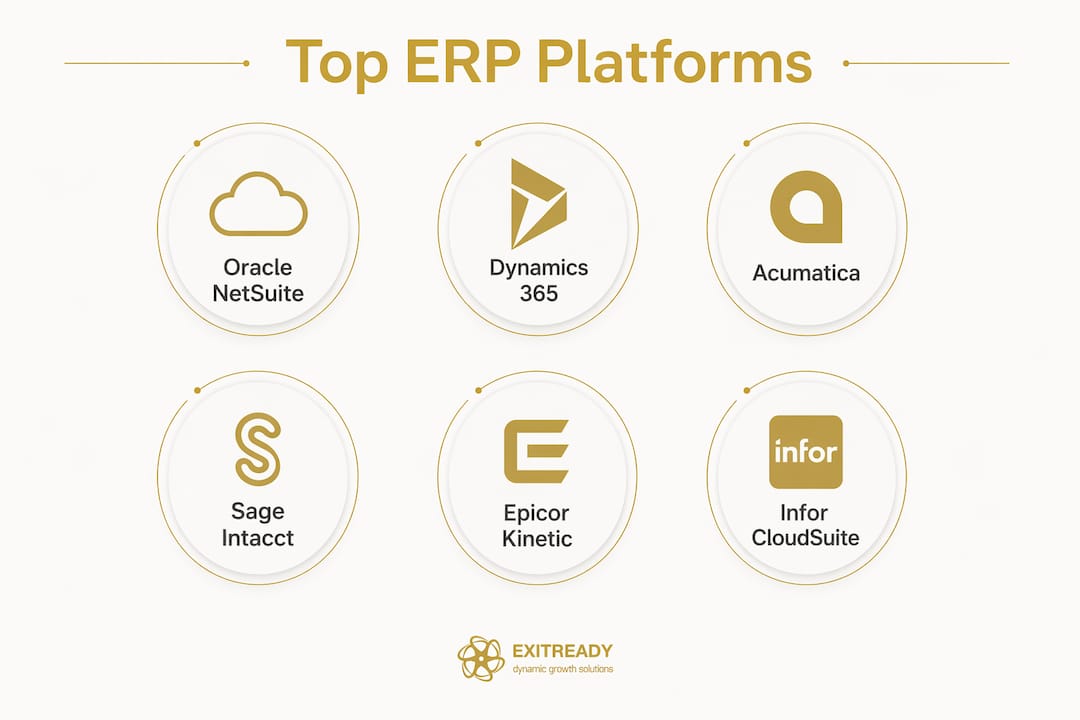
The six platforms that consistently earn a spot on shortlists for scaling mid-market companies are Oracle NetSuite, Microsoft Dynamics 365 Business Central, Acumatica, Sage Intacct, Epicor ERP, and Infor CloudSuite. Each earns its place for a different reason:
- Oracle NetSuite — best for finance-heavy, high-growth companies that need multi-entity consolidation out of the box
- Microsoft Dynamics 365 Business Central — best when your team already lives in Microsoft 365 and Power Platform
- Acumatica — best for growing teams that need consumption-based pricing to avoid per-user cost penalties
- Sage Intacct — best for service-based firms that need auditable financials and strong compliance tooling
- Epicor ERP — best for manufacturers and distributors with complex production or supply chain requirements
- Infor CloudSuite — best for asset-heavy or regulated industries that want deep industry templates without heavy custom development
Quick match rule: if headcount is growing fast, prioritize consumption or resource-based pricing. If Office and Power Platform are already core infrastructure, Business Central is the natural fit. If finance rigor and clean audit trails are the primary driver, NetSuite or Sage Intacct belong at the top of your list. All six carry independent analyst recognition from Gartner and Forrester, and the leading platforms hold SOC 2 certification, which matters when buyers start their due diligence.
Table of Contents
- How do these ERP platforms stack up for scaling and exit readiness?
- How were these platforms selected and ranked?
- How do you choose the right ERP for your scaling profile?
- What should you budget and expect for a mid-market ERP rollout?
- Which ERP capabilities actually move the needle on valuation?
- Should you run an AOS consulting engagement before replacing your ERP?
- Key Takeaways
- Why feature shopping is the wrong way to pick an ERP
- Operational transformation before, during, or after your ERP selection
- Sources and further reading
How do these ERP platforms stack up for scaling and exit readiness?
| Platform | Best for | Core strengths | Deployment | Implementation complexity | TCO profile | Partner network | Scalability |
|---|---|---|---|---|---|---|---|
| Oracle NetSuite | Finance-heavy, multi-entity, high-growth | Financials, multi-entity, inventory, CRM, analytics | Cloud-native | Medium / 4–9 months | Mid–High | Large global ecosystem | High |
| Dynamics 365 Business Central | Microsoft-stack companies, SMB to mid-market | Finance, sales, inventory, manufacturing, Power Platform | Cloud / hybrid / on-prem | Low–Medium / 3–6 months | Low–Mid | Extensive Microsoft partner network | High |
| Acumatica | Growing teams, manufacturing, distribution, services | Accounting, inventory, WMS, PSA, CRM | Cloud-native / hybrid | Medium / 4 months | Mid | Strong ISV and VAR network | High |
| Sage Intacct | Service firms, nonprofits, finance-first | Core financials, AP/AR, compliance, audit trails | Cloud-native | Low–Medium / 3–5 months | Low–Mid | Sage partner network | Medium–High |
| Epicor ERP | Manufacturers, distributors, asset-heavy | Manufacturing, supply chain, quality, global finance | Cloud / on-prem | Medium–High / 6–9 months | Mid–High | Specialized manufacturing partners | High |
| Infor CloudSuite | Regulated, asset-heavy, industrial | Industry templates, demand forecasting, WMS, production | Cloud (AWS) | Medium–High / 6–9 months | High | Infor-certified partner network | High |
Oracle NetSuite serves over 24,000 global customers and delivers out-of-the-box tools for financials, order management, and real-time dashboards. The trade-off is per-user licensing, which can push implementation TCO into the $100,000–$500,000 range. Worth it for companies where finance complexity is the core constraint.
Acumatica stands apart on pricing. Its consumption-based licensing means unlimited users access the system without per-seat charges, and its low-code/no-code customization layer keeps those changes intact through upgrades. For a company adding 20 field reps next year, that architecture is a meaningful cost advantage.
Dynamics 365 Business Central has documented 50–60% efficiency improvements for organizations consolidating fragmented systems. If your team already uses Teams, Excel, and Power BI, the integration payoff is real and fast.
Sage Intacct earns its place for service businesses that need clean audit trails and compliance tools without the overhead of a full manufacturing suite. It closes books faster and handles multi-entity consolidation well at a lower entry cost than NetSuite.
Epicor ERP (now marketed as Epicor Kinetic) is purpose-built for manufacturing complexity: real-time shop floor monitoring, quality management, and global financial integration in one system. Not the right fit for a services firm, but hard to beat for a mid-market manufacturer.

Infor CloudSuite, built on AWS, delivers preconfigured industry templates and AI-driven demand forecasting. For regulated or asset-heavy environments, it reduces the customization burden significantly.
How were these platforms selected and ranked?
Industry and operational fit matters more than company size when choosing an ERP. An asset-heavy manufacturer and a professional services firm with the same revenue need fundamentally different systems. The evaluation criteria used here:
- Finance-operations integration: Can the platform close the gap between your CFO’s view and your ops team’s reality without custom middleware?
- Extensibility and low-code/no-code tooling: Do customizations survive upgrades, or do you rebuild after every release?
- Pricing model: Does per-user licensing create a growth penalty as headcount scales?
- Multi-entity and consolidation: Can the system handle multiple legal entities, currencies, and intercompany eliminations without a separate consolidation tool?
- Industry editions: Does the vendor offer preconfigured modules for your vertical, or does everything require custom build?
- Partner network: Are there certified implementation partners with documented case studies in your industry?
- Security and compliance: SOC 2, HIPAA where relevant, and data residency controls for regulated industries
Extensibility and pricing model carry extra weight for exit-focused owners. A platform that locks you into expensive customizations or charges linearly per user will compress margins and complicate due diligence. Platforms with upgrade-safe APIs and low-code layers reduce that risk materially.
How do you choose the right ERP for your scaling profile?
Step-by-step checklist:
- Map your current processes before you touch a vendor demo. Document what actually happens, not what should happen.
- Audit your data. Clean, structured data in your current system is the single biggest predictor of a smooth migration.
- Define your three most important buyer KPIs (gross margin by product line, EBITDA adjustments, AR days) and confirm the platform surfaces them natively.
- Shortlist two platforms maximum and request a partner-led pilot with your own data, not a canned demo.
- Validate the implementation partner’s references in your industry, not just the vendor’s.
Vendor questions that separate real answers from sales talk:
- “Show me how pricing changes if we add 30 users in year two.” A good answer includes a specific number or a consumption model explanation.
- “How are customizations handled during a major version upgrade?” Acceptable: low-code layer preserved automatically. Red flag: “our team will handle it.”
- “What API documentation do you provide, and which integrations are pre-built for our stack?”
- “Can you demonstrate multi-entity consolidation with intercompany eliminations in a live environment?”
- “Who are your three most recent certified implementation partners in our industry, and can we speak with their clients?”
Red flags to walk away from:
- Mandatory per-user pricing with no consumption alternative for field or warehouse teams
- No low-code extension layer, meaning every customization touches core code
- Vendor lock-in clauses that restrict data export or migration
- Implementation partners with no documented case studies in your vertical
Pro Tip: The “growth penalty” from per-user licensing is real math. If you add 50 users at $150/user/month, that’s $90,000 in annual software cost added before you’ve grown revenue by a dollar. Consumption-based models like Acumatica’s price on transaction volume and resource use instead, which means your software cost scales with business output, not headcount.
What should you budget and expect for a mid-market ERP rollout?
Mid-market ERP implementations typically run several months and can cost $100,000–$500,000 depending on scope, integrations, and customization depth.
| Phase | Typical duration | What drives the timeline |
|---|---|---|
| Discovery and scoping | 3–6 weeks | Process complexity, number of entities |
| Design and configuration | 4 weeks | Module count, integrations, custom workflows |
| Build and customization | 4–10 weeks | Custom dev, data migration complexity |
| Testing (UAT) | 3–5 weeks | Data quality, user participation |
| Training | 2–4 weeks | Team size, change resistance |
| Go-live and stabilization | 2–4 weeks | Cutover complexity |
Cost bands by scope:
- $50,000–$150,000: Single-entity, limited modules, minimal customization, cloud-native deployment
- $150,000–$350,000: Multi-entity, 4–6 modules, moderate integrations, some custom workflows
- $350,000+: Multi-entity with complex manufacturing or WMS, heavy integrations, significant custom development
Migration checklist:
- Extract and validate a full data inventory from your current system
- Define data ownership and a single source of truth for each data type
- Run a parallel test migration with a 90-day data sample before cutover
- Map legacy fields to new data structures with a documented crosswalk
- Archive legacy data in a format accessible post-migration for audit purposes
Change management matters as much as the technology. Assign a dedicated internal project owner with decision authority. Set a training cadence before go-live, not after. Document every new workflow as a playbook so the system doesn’t become owner-dependent again.
Common failure modes: automating chaotic processes instead of fixing them first, choosing an implementation partner based on price rather than industry references, and building customizations that the vendor won’t support in the next release. Review common mid-market scaling mistakes before you sign a statement of work.
Which ERP capabilities actually move the needle on valuation?
Buyers doing due diligence on a mid-market company look for one thing above all else: a business that runs without the owner in the room. The ERP capabilities that support that story:
- Auditable financials with role-based access controls — buyers want clean books they can verify independently
- Automated revenue recognition — especially for subscription or project-based revenue, where manual processes introduce restatement risk
- Multi-entity consolidation — if you operate multiple entities, buyers need consolidated statements fast
- KPI dashboards with real-time data — gross margin by SKU, EBITDA-normalized adjustments, customer concentration, AR days, and recurring revenue metrics
- Process playbook integration — documented workflows inside the system, not in someone’s head
- Integration-ready APIs — buyers want to know they can connect the platform to their existing stack post-acquisition
Modern ERP platforms embed AI to reconcile data, surface exceptions, and automate workflows, which reduces the manual labor that inflates headcount costs and creates restatement risk. Business Central, for example, uses built-in AI agents to automate payables and flag anomalies before they hit the books. That kind of operational independence is exactly what scalability builds in mid-market value and what acquirers pay a premium for.
Should you run an AOS consulting engagement before replacing your ERP?
The honest answer: if your processes are chaotic, your data is dirty, and your team can’t describe a workflow without calling the owner, an ERP won’t fix that. It will automate the chaos and make it faster.
Signs you need consulting and documented operating systems first:
- No documented playbooks for core processes (order-to-cash, procure-to-pay, close process)
- Owner is the decision point for most operational exceptions
- Data in your current system is inconsistent, duplicated, or manually corrected regularly
- Your team can’t define what “good” looks like for the three KPIs buyers care most about
Dynamicgrowthsolutions’ AOS (Accelerated Operating System) addresses exactly these conditions. The program runs a structured diagnostic, builds documented playbooks, installs delegation systems, and certifies the business as exit-ready before or alongside an ERP selection. That sequencing reduces ERP implementation risk because the partner is configuring a clean, documented process rather than reverse-engineering what the owner does in their head. Learn more about what a business operating system does for owners at this stage.
Decision flow:
- Diagnostic: Assess process maturity, data quality, and owner dependency
- Fix playbooks: Document and delegate core workflows before ERP selection
- Shortlist ERP: With clean data and documented processes, the vendor demo becomes a real test
- Implement with a certified partner: Or run AOS and ERP concurrently if operational maturity is already moderate
Pro Tip: If your current system handles basic financials and you’re under $20M in revenue, a light cloud ERP may be sufficient for 18–24 months. The bigger ROI at that stage often comes from process documentation and delegation, not from a $250,000 ERP project. Get the mid-market scalability checklist to assess where you actually stand before committing to a platform.
Key Takeaways
The right ERP for a scaling mid-market company is the one that matches your industry profile, uses a pricing model that won’t penalize headcount growth, and can be implemented on clean, documented processes.
| Point | Details |
|---|---|
| Pricing model is a growth lever | Consumption-based pricing avoids the per-user cost penalty that compresses margins as headcount scales. |
| Implementation costs $100,000–$500,000 | Mid-market rollouts typically take 4–9 months; scope, integrations, and customization depth drive the range. |
| Exit readiness requires auditable systems | Buyers want role-based access, automated revenue recognition, and real-time KPI dashboards they can verify independently. |
| Process maturity precedes ERP success | Automating chaotic processes accelerates chaos; document playbooks before or during ERP selection. |
| Dynamicgrowthsolutions AOS reduces ERP risk | The AOS diagnostic and playbook program cleans processes and installs delegation systems before or alongside ERP implementation. |
Why feature shopping is the wrong way to pick an ERP
Most ERP selection processes go wrong in the same place: the demo. A vendor shows you a polished interface, the team gets excited about a feature they’ve never had, and the decision gets made on capability breadth rather than operational fit. Three months into implementation, the team discovers the platform requires them to change every workflow they’ve built over a decade.
The research is consistent on this. Flexible platforms that adapt to workflows outperform rigid systems that force process change, especially for mid-market companies where the owner’s institutional knowledge is still embedded in informal processes. The platforms that earn their place on a serious shortlist share three traits: they price in a way that doesn’t punish growth, they extend without breaking on upgrades, and they surface the financial data buyers actually scrutinize.
Operational maturity is the multiplier. A $200,000 ERP project on top of undocumented processes produces a $200,000 digital filing cabinet. The same investment on top of clean playbooks and a trained team produces a business that runs without the owner and commands a premium at exit. That sequencing decision is where most mid-market owners leave money on the table.
Operational transformation before, during, or after your ERP selection
Choosing the right ERP is one decision. Getting the operational foundation right so the ERP actually delivers ROI is another, and it’s the one most owners skip.
Dynamicgrowthsolutions works with mid-market owners who are serious about exit readiness, not just software selection. The AOS program delivers a structured operational diagnostic, documented process playbooks, and a delegation system that makes your business buyer-ready whether you’re 18 months from an exit or three years out. Paired with an ERP selection, it reduces implementation risk and accelerates the valuation gains buyers pay for.
- Documented playbooks that survive leadership transitions and satisfy buyer due diligence
- Faster ERP ROI because the platform is configured to clean, defined processes from day one
- Higher valuation at exit because the business operates independently of the owner
If you’re ready to move from feature shopping to operational transformation, start with a business transformation assessment and get a clear picture of where your business stands before you commit to a platform.
Sources and further reading
- Microsoft Dynamics 365 Business Central — vendor documentation supporting the 50–60% efficiency improvement stat and AI-embedded workflow automation
- Oracle NetSuite ERP — product page supporting customer count, multi-entity capabilities, and per-user licensing structure
- Acumatica Cloud ERP — platform page supporting consumption-based pricing, low-code/no-code extensibility, and upgrade-safe customization architecture
- Strategies Group: Best ERP Software for SMBs — primary source for implementation timelines (4–9 months), cost ranges ($100,000–$500,000), industry-fit selection criteria, and per-user growth penalty analysis
- Top10ERP.org: Top ERP Systems — independent ranking and platform profiles supporting shortlist validation
- Domo: ERP Platforms to Watch — platform profiles for Infor CloudSuite, Sage Intacct, and Acumatica supporting deployment and feature descriptions
- SAP GROW — modular cloud ERP deployment approach and preconfigured industry template context